Privy's Email Automation Playbook: Ready-to-Use Formulas ...
How popup data feeds into automated email sequences with Shopify-specific triggers and segmentation.
Sarah Mitchell
Certified Shopify Expert · Google Analytics Certified · 8+ years in e-commerce
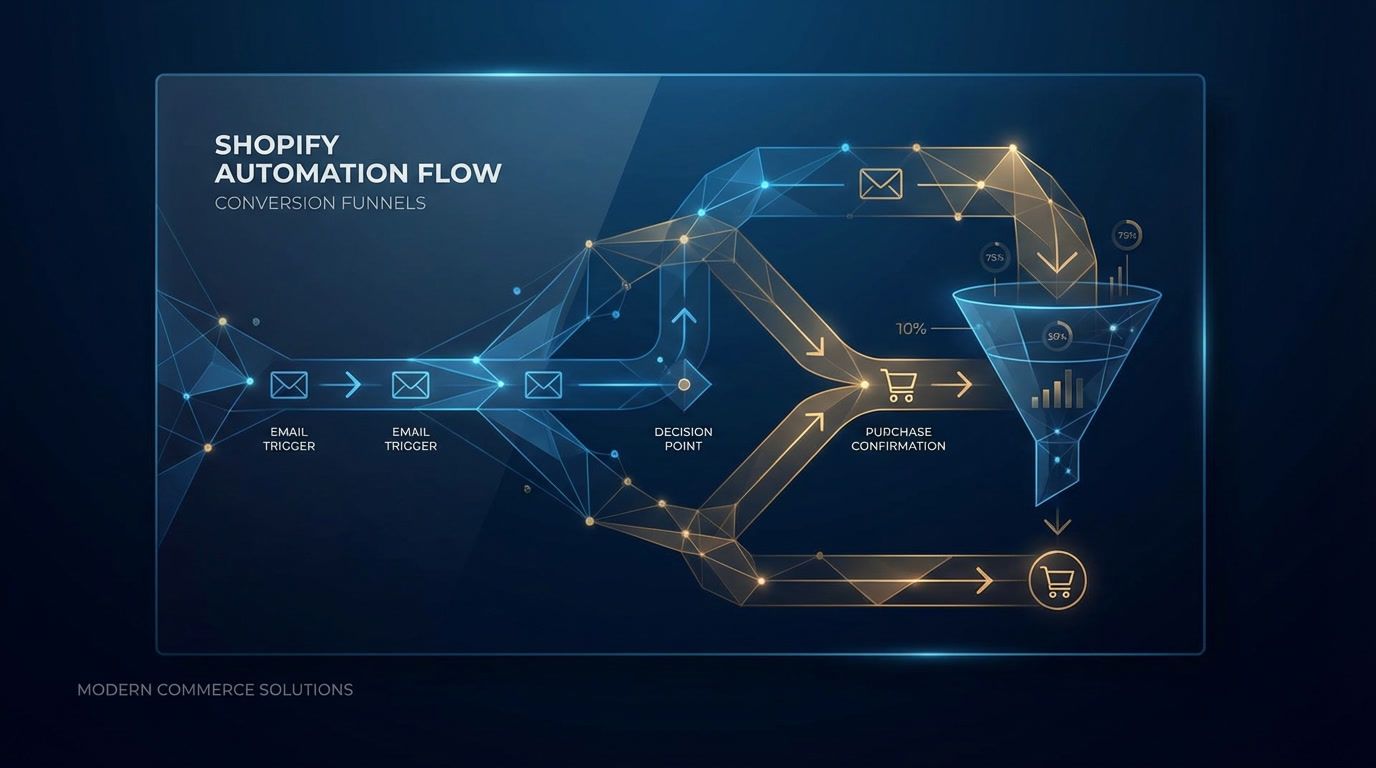
Privy’s Email Automation Playbook: The Shopify Popup to Email Automation Blueprint
Shopify store owners already running email feel the pressure to squeeze more revenue out of every visitor. The fastest path is tightening how your popups feed data into automated email sequences—so the right shoppers get the right message without manual labor. This playbook shows exactly how to connect popup data, Shopify triggers, and segmentation to lift conversion without burning your list.
Why Popups + Automation Are Your Highest-ROI Pairing
Email remains a revenue workhorse. Shopify’s own research shows shoppers spend 128% more when buying from email versus other channels, with click-through rates averaging 2.62% in 2024 Shopify email marketing stats. Pair that power with popups that segment on capture—now every automated email fires with better context. The payoff is meaningful: Shopify’s average conversion rate hovers between 2.5–3% conversion benchmarks, yet well-structured automated sequences routinely outperform those baselines.
The Data Flow You Need to Get Right
-
Capture granular fields at the popup layer. Collect email, name, product interest, discount preference, and source (onsite vs. ad campaign). For revenue-critical flows like abandoned cart, capture cart value and product category when possible.
-
Tag and sync instantly. Map popup fields to your ESP/CRM and Shopify customer profiles. Use tags such as
spin-to-win,exit-intent,high-AOV, ornew-visitorto drive branching logic. -
Trigger workflows on Shopify and popup events. Use Shopify events (checkout started, order paid, order fulfilled) plus popup events (submitted, skipped, closed) to start or suppress sequences.
-
Segment by behavior and value. Segment by AOV tiers, repeat vs. first-time visitors, viewed product categories, and discount sensitivity inferred from popup choices.
Tools like Revenue Boost help here by sending enriched popup data (popup type, offer, campaign) directly into your email platform, so every sequence can branch without extra engineering.
Core Shopify Triggers to Wire Now
Welcome + First Purchase Nudges
- Trigger: Popup submit +
new-visitortag. - Flow: 3–4 emails over 7 days. Email 1 delivers the promised incentive; email 2 highlights bestsellers; email 3 adds social proof; email 4 gives a gentle deadline.
- Why it converts: Subscribers expect immediate value and clarity. According to Shopify’s marketing automation guide, tightly timed welcomes drive faster conversions while keeping teams focused on bigger-picture optimization Shopify marketing automation.
- Popup data to use: Offer type (percentage vs. dollar off), category interest, location for shipping messaging.
Browse Abandonment
- Trigger: Viewed product, no add-to-cart within 30–60 minutes.
- Flow: 2 emails over 48 hours. Include the exact product, 1–2 similar items, and a soft reassurance (fit, shipping speed, returns).
- Popup data to use: Interest tag from popup (e.g., “summer dresses”) to curate the recommendations.
Cart Abandonment
- Trigger: Checkout started, no purchase within 1–3 hours.
- Flow: 3 emails in 36 hours. Email 1: cart reminder with thumbnail and price. Email 2: FAQ + reviews. Email 3: time-bound incentive if margin allows.
- Why it matters: Average Shopify conversion sits at 2.5–3% conversion benchmarks; cart flows consistently push above that when paired with strong onsite capture and segmentation.
- Popup data to use: Discount tolerance from the popup (e.g., “I’ll take 10%” vs. “No thanks”). Use it to decide whether the third email includes an incentive.
- Further reading: See real recovery flows in cart abandonment popup examples.
Post-Purchase Cross-Sell
- Trigger: Order paid.
- Flow: 2–3 emails over 10 days. Start with care instructions or setup, then a complementary product cross-sell, then a community or UGC nudge.
- Popup data to use: Use the originating popup offer to prevent repeating the same incentive and to tailor cross-sells by the category they engaged with.
Winback for At-Risk Segments
- Trigger: Last purchase 45–60 days (adjust to your repeat cycle).
- Flow: 2–3 emails over a week. Use a “we picked these for you” angle plus social proof.
- Popup data to use: Last engaged popup campaign; if they entered via a spin-to-win, lead with newness rather than discounts to avoid training deal-only behavior.
Segmentation Formulas Built on Popup Inputs
- Discount Seekers vs. Full-Price Buyers: If the popup offered a discount choice, segment accordingly. Offer loyalty points to full-price buyers; give controlled incentives to discount seekers.
- Category Intent Buckets: Tag based on the popup question (“What are you shopping for today?”). Route to category-specific welcome branches.
- AOV Tiers: If cart value was captured, branch flows for under/over your median AOV. High AOV gets concierge language and shipping reassurance; lower AOV gets bundles.
- Engagement Recency: Suppress heavy popups for recent purchasers; show lighter, content-first banners while keeping them in post-purchase nurture.
- Exit vs. Entry Popups: Exit-intent leads may need trust-building first; entry popups can go straight to offer delivery.
Creative and Offer Tactics That Multiply Conversions
- Delay the hard sell. Lead with brand story and proof before pushing discounts.
- Align offer to AOV. Higher AOV products respond to free shipping or value-added bonuses more than percentage cuts.
- Use social proof early. Insert a review snippet in email 1 or 2 of welcome and cart flows.
- Test format, not just offer. Side-by-side layouts, inline product cards, and short vs. long copy all matter. A/B testing in popup tools like Revenue Boost helps you find the winning capture design before traffic hits email.
- Comply while you capture. Add GDPR checkboxes and a clear value exchange. Tools with built-in compliance reduce manual work.
For deeper design tweaks, this guide on email popup best practices covers layouts that keep conversion high without annoying shoppers.
Automation Playbook: Ready-to-Use Formulas
Formula 1: High-Intent Welcome (CTA-first)
- Trigger: Popup submit on product or collection page.
- Email 1 (0–5 minutes): Deliver code + 2 bestsellers from that category; add free shipping reminder.
- Email 2 (24 hours): Story + proof (ratings, press quotes); small banner reiterating the code deadline.
- Email 3 (72 hours): Objection handling (fit, returns, shipping speeds); link to a buying guide.
- Branching: If they click but don’t buy, send a 10% booster. If they buy, move to post-purchase.
Formula 2: Exit-Intent Saver
- Trigger: Exit-intent popup with mini-quiz (category + urgency).
- Email 1 (15 minutes): Category-specific picks plus the exact incentive they chose.
- Email 2 (20 hours): UGC carousel; shipping cutoff reminder.
- Email 3 (36 hours): “Still deciding?” with a lighter nudge (no extra discount) to protect margin.
Formula 3: Cart Recovery with Margin Control
- Trigger: Checkout started + popup tag
exit-cart. - Email 1 (30 minutes): Cart reminder with images; highlight payment methods.
- Email 2 (18 hours): Social proof + FAQ; emphasize returns.
- Email 3 (30 hours): Incentive only if popup indicated discount-seeker; otherwise, add a bundle suggestion.
- Note: Shopify’s 2025 conversion handbook shows email automation lifts stores above 1.5–2.5% baselines when cart flows are present conversion handbook.
Formula 4: Post-Purchase Expansion
- Trigger: Order paid + popup tag
bestseller. - Email 1 (2 days): Care tips + how-to video.
- Email 2 (7 days): Cross-sell aligned to the tagged category; no discount for first 30 days.
- Email 3 (14 days): Invite to review or UGC; small loyalty offer for next purchase.
Formula 5: Seasonal Re-Activation
- Trigger: 60+ days idle + popup tag
seasonal. - Email 1: “We saved your favorites” using their tagged category.
- Email 2: Limited-time drop; showcase what’s new vs. last season.
- Email 3: Gentle incentive if they previously engaged with discount popups; otherwise, content-led.
Channel Hygiene: Keep Lists Healthy While Scaling
- Sunset rules: If 6–8 emails go unopened, move to a lighter cadence or re-permission campaign.
- Frequency caps: Respect popup engagement signals; heavy popup engagement can mean email fatigue. Cap to 3–4 emails/week per user.
- Deliverability: Authenticate domains (SPF/DKIM/DMARC) and prune hard bounces weekly.
- Consent tracking: Store GDPR/CCPA consent status from popups; ensure suppressions apply across all flows.
Measurement: What to Track Each Week
- Welcome flow revenue per recipient (RPR). Aim to beat your store’s baseline conversion of 2.5–3% conversion benchmarks.
- Cart recovery lift. Compare orders from abandoned cart flow vs. control period.
- Popup submit-to-purchase rate. Shows quality of capture, not just volume.
- List churn vs. popup exposure. If unsubscribes spike after aggressive popups, dial back frequency or add delay timers.
- Time-to-first-purchase. Shorter TTFP signals your segmentation and triggers are aligned.
Implementation Checklist (Shopify-Specific)
- Map popup fields to Shopify customer tags and custom properties in your ESP.
- Set UTM parameters on popup-driven offers to attribute properly.
- Use dynamic product feeds in browse and cart emails to avoid stale links.
- Create exclusion rules: purchasers skip remaining welcome emails; recent buyers skip cart incentives.
- QA mobile first—most popup interactions begin on mobile.
If you need a quick comparison of capture tools, scan the best Shopify popup apps for 2025 roundup to match features with your stack.
Case-Style Example: From Popup Tag to Email Branch
Imagine a visitor sees an exit-intent popup offering 10% off and asks which category they’re shopping. They pick “Skincare.” The submission applies tags exit-intent, discount-10, skincare. Your ESP triggers the Exit-Intent Saver flow:
- Email 1 uses skincare products and the exact code promised.
- Email 2 shows skincare-specific UGC and a shipping cutoff badge.
- Email 3 only adds an incentive if they haven’t purchased and if the margin allows based on their cart value tag.
This keeps the promise consistent, avoids irrelevant product cards, and protects margin by tying incentives to the discount-seeker signal captured at the popup.
A/B Tests to Run This Month
- Offer framing: Percent vs. dollar-off on welcome popups; measure downstream RPR, not just submit rate.
- Quiz vs. simple fields: Do 2–3 intent questions lift category-specific conversion?
- Timer placement: Countdown in email 2 of cart recovery vs. email 3.
- Cross-sell logic: Same-category vs. complementary-category in post-purchase.
Revenue Boost’s built-in testing makes it easy to validate these without developer time, while keeping GDPR-friendly templates ready.
FAQ
How many popup fields are too many? Stay to 2–3 fields for cold traffic. Add intent questions only when you’ll branch emails with that data.
What’s a good cart abandonment recovery rate? If you’re below 10–15% recovered carts, add social proof in email 2 and test a timed incentive in email 3.
Should I suppress recent buyers from popups? Yes. Show lighter banners or loyalty reminders to avoid discounting full-price purchasers.
How fast should the first email send after a popup submit? Within 5 minutes. Timely delivery aligns with shopper intent and lifts clicks, per Shopify’s automation best practices Shopify marketing automation.
Ready to turn popup signals into higher-converting email? Try Revenue Boost to capture richer data, route it into Shopify-triggered flows, and A/B test your way to stronger margins—without extra engineering.
About Sarah Mitchell
Certified Shopify Expert · Google Analytics Certified · 8+ years in e-commerce
Sarah is an e-commerce growth specialist with over 8 years of experience helping Shopify merchants scale their businesses. She has worked with 200+ online stores, specializing in conversion optimization and email marketing strategies.
Ready to boost your conversions?
Get started with Revenue Boost in 60 seconds.
Install on Shopify - Free